How to Run a 2024 IECC COMcheck Without Losing Your Mind
If you’ve tried creating a 2024 IECC COMcheck recently, you already know it’s not what it used to be. The interface changed. The code options multiplied. And if you pick the wrong energy code by accident, you redo the whole thing from scratch.
Here’s a clean walkthrough so you or your team can get it done right the first time.
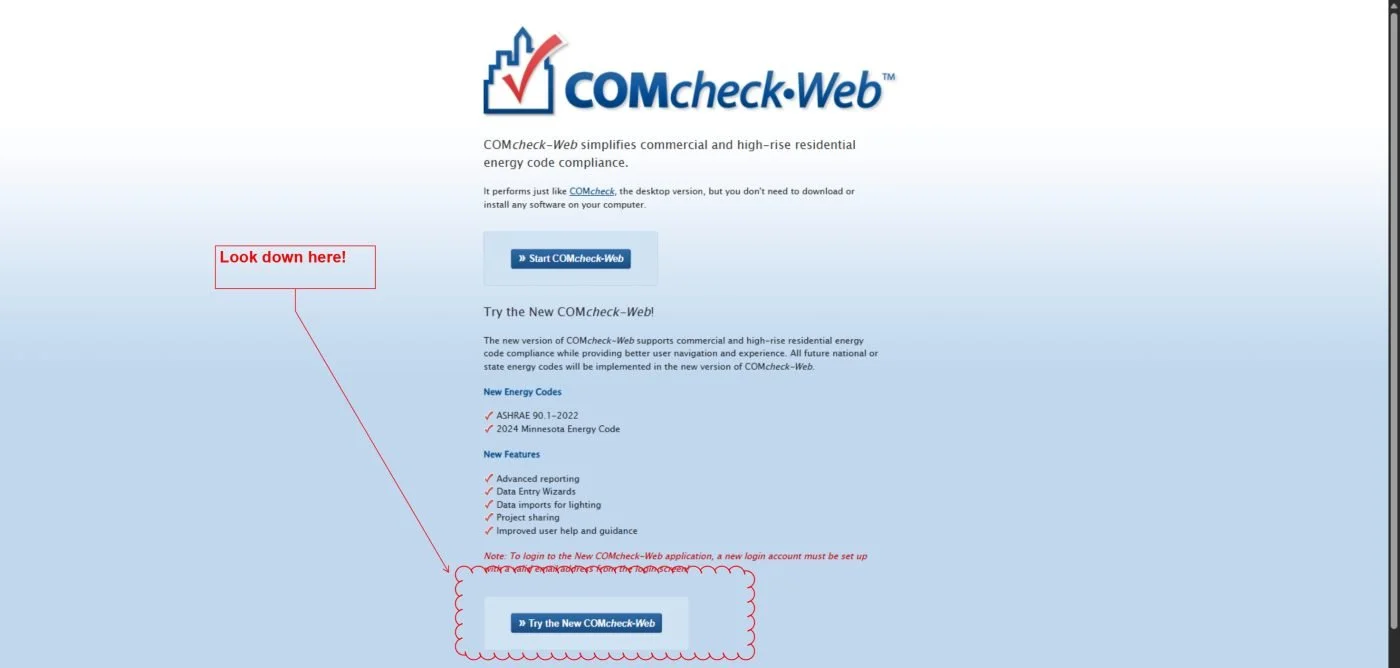
Step 1: Use the New COMcheck-Web
Skip the old desktop version entirely. Go to COMcheck-Web and click “Try the New COMcheck-Web”. The desktop version won’t get you to 2024 IECC. Don’t waste time on it.
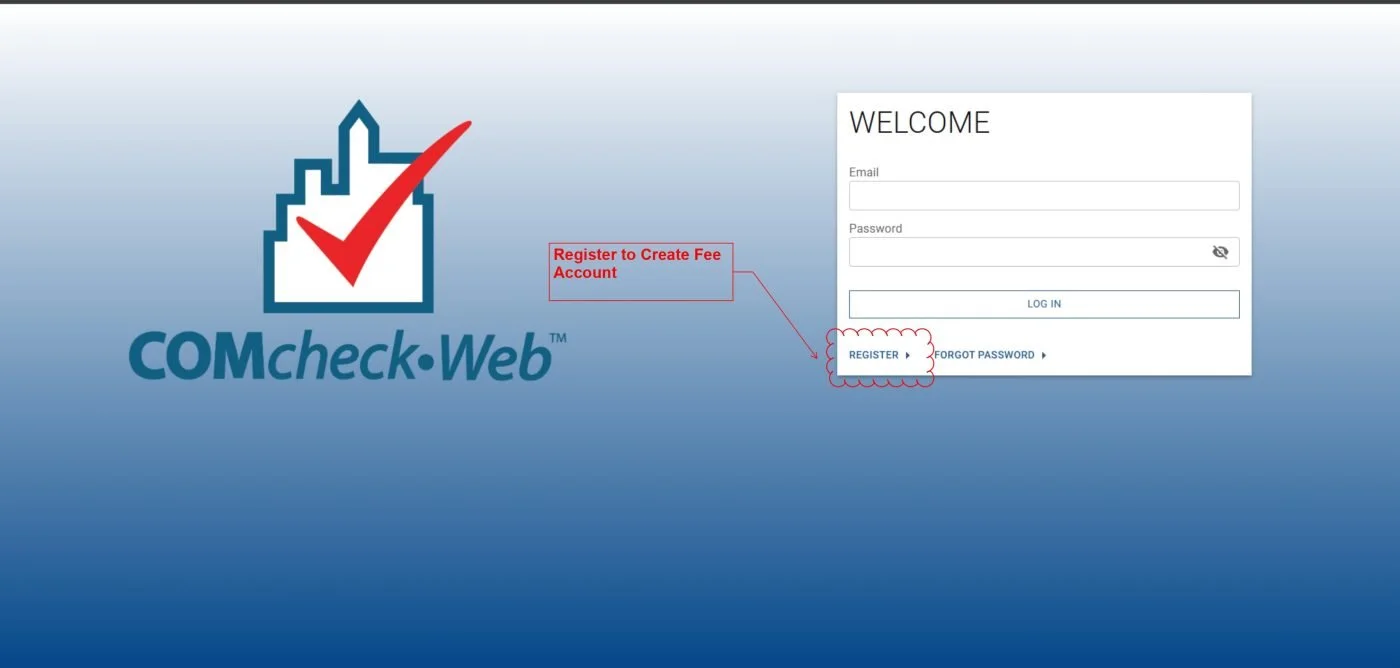
Step 2: Create a Free Account
You can’t start a project without registering. Click “Register” on the login screen and set up your account. It takes two minutes.
Step 3: Start a New Project
Once you’re in, click New Project. Enter your project location and select your project type: new construction, alteration, or whatever applies to your job.
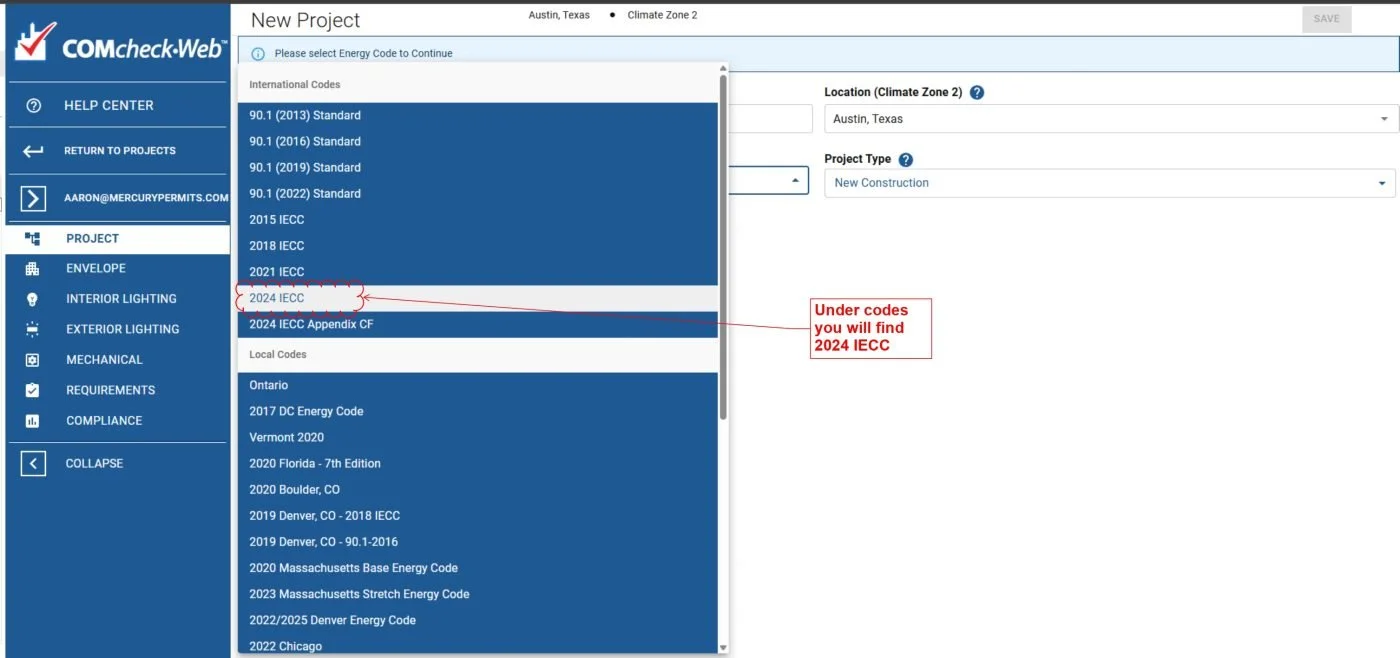
Step 4: Select the Correct Energy Code
This is where most people get burned.
In the energy code dropdown, scroll through the International Codes section and select 2024 IECC. It’s easy to accidentally land on 2021 IECC or ASHRAE 90.1. Both are wrong if your jurisdiction has adopted 2024. Double-check this before you move forward. One wrong click here costs you the entire report.
Step 5: Work Through Each Section
Use the left-side tabs to complete the required inputs:
Envelope. Interior Lighting. Exterior Lighting. Mechanical.
Pull values directly from your plans and specs. Don’t guess. The report only holds up at the permit counter if the numbers match the drawings.
Step 6: Generate and Download Your Report
Go to the Compliance section, generate your report, and download it. Sign it as required and attach it to your permit submittal package.
One Thing Worth Noting
The new COMcheck interface is more capable than the old one, but it’s also less forgiving. A wrong code selection early on doesn’t give you a warning. You just end up with a report that doesn’t match your jurisdiction’s requirements, and you find out at submission.
Take the extra ten seconds at Step 4. Confirm you’re on 2024 IECC. It’s the cheapest insurance in the process.
If you’re navigating permits or energy compliance and want a second set of eyes, reach out. Mercury Permits works with Texas jurisdictions daily and knows where these submittals tend to get flagged.